CBZ to PDF
CBZ to PDF converter: comic pages in one PDF file
To convert CBZ to PDF, drop the .cbz comic in the box, choose a page size and download a PDF with one comic page per PDF page, in colour, in reading order.
Convert a CBZ to PDF
- Upload
- Convert
- Download
Uploading…
Your PDF is ready
Download PDFDeleted from our server within an hour.
How did it turn out?
What went wrong?
Thank you. Your answer helps improve the converter; nothing from your file is kept.
- No sign-up
- Deleted within an hour
- Page numbers and bookmarks
Free: 10 files a day. Only convert books you have the right to convert. DRM-protected books, such as most store-bought Kindle books, can't be converted.
What a CBZ file is
A CBZ is a comic book archive: a zip file full of page images, numbered so a comic reader shows them in order. It works well in dedicated comic apps, but many tablets, school computers and printers have no idea what to do with it. A PDF opens everywhere, keeps the pages in order and can be printed or shared as one file.
How the pages come out
As drawn
The artwork is not turned grey, sharpened, shrunk or cropped; colour pages stay in colour, and JPEG pages go in byte for byte, so the PDF is about the size of the comic.
No white borders
Each page is as wide as the Letter, A4 or A5 paper you choose and exactly as tall as its picture, so the art fills the page.
Spreads kept
Two-page spreads stay whole instead of being cut into two halves.
In order
Pages follow the file names in the archive, the order comic readers use.
How it compares: 5 CBZ to PDF converters tested
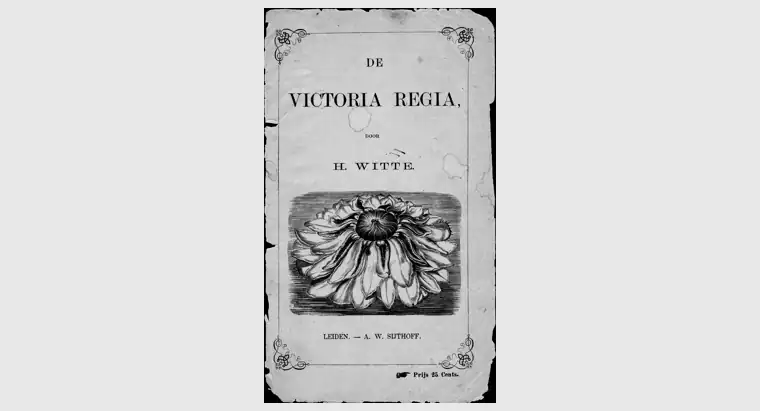
Tested 4 November 2026. Two public-domain scans from archive.org (De Victoria Regia, 1872, 41 pages, 15 MB, and a 1922 yearbook, 162 pages, 77 MB) went through each converter's free tier with default settings and no account. One script compared every PDF with the original pictures.
| Converter | Pages | Pictures at full size | Colour kept (yearbook) | Page shape | File size (the two comics) |
|---|---|---|---|---|---|
| epubwise builds the PDF from the pictures | all | yes | yes | the comic's own | 16.5 MB / 78.7 MB |
| Calibre (default settings) Calibre 9.13, the desktop program | all | no | no | stretched to Letter | 8.2 MB / 30.4 MB |
| AnyConv | all | yes | yes | the comic's own | 22.2 MB / 78.7 MB |
| CloudConvert Calibre 8.5 | all | no | yes | stretched to Letter | 8.1 MB / 46.8 MB |
| FreeConvert ImageMagick | failed on Victoria Regia; 161 of 162 on the yearbook | no | no | white margins on A4 | failed / 52.9 MB |
What the numbers say. Calibre's comic settings, which CloudConvert also uses, are made for e-ink screens: they shrink every picture and stretch it to the shape of a Letter page, so tall pages come out about 30% wider than they were drawn, and Calibre on its own also turns them grey. FreeConvert stopped with an error on one comic, lost a page of the other, and shrank and greyed what it kept, with white margins around it. epubwise and AnyConv put each picture in at its full size, on a page of its own shape.
Where others did better: the shrunken PDFs are much smaller, which helps if size matters more than sharpness. AnyConv matched us on picture quality and on the yearbook's size; our PDF of the other comic is smaller. Our pages are as wide as the paper you pick, and AnyConv's are as big as the picture.
Things to know
CBZ files only (the zip kind); CBR files are RAR archives and aren't supported. A comic with hundreds of high-resolution pages can be close to the 250 MB upload limit and takes longer to build. Prefer a reflowable ebook? CBZ to EPUB makes one for reading apps, and for novels in EPUB there is EPUB to PDF. The PDF is built on our server and deleted within an hour.
Questions
Can I convert CBR files?
Not yet. CBR comics are RAR archives; open the CBR in a comic app or archive tool and save it as CBZ first.
Will the PDF be bigger than the CBZ?
About the same size. The pages keep their full quality: JPEG pages are copied in unchanged and other pictures are stored without loss, so a 15 MB comic we tested made a 16.5 MB PDF.