Free EPUB to PDF converter
EPUB to PDF converter that sets pages like a book
To convert EPUB to PDF, choose your file and page size: epubwise adds page numbers, chapter titles on each page and a printed contents page, free and without an account.
Convert an EPUB to PDF
- Upload
- Convert
- Download
Uploading…
Your PDF is ready
Download PDFDeleted from our server within an hour.
How did it turn out?
What went wrong?
Thank you. Your answer helps improve the converter; nothing from your file is kept.
- No sign-up
- Deleted within an hour
- Page numbers and bookmarks
Free: 10 files a day. Only convert books you have the right to convert. DRM-protected books, such as most store-bought Kindle books, can't be converted.
Why turn an ebook into a PDF
An EPUB reflows: the words rearrange themselves for every screen and font size, so there are no fixed pages. That is ideal for reading, and awkward when you want to print a chapter, quote page 42 in an essay, mark up a copy in a PDF app, or send the book to someone who has no e-reader. A PDF fixes the pages in place, so everyone sees the same thing and a printer knows exactly what to do with it.
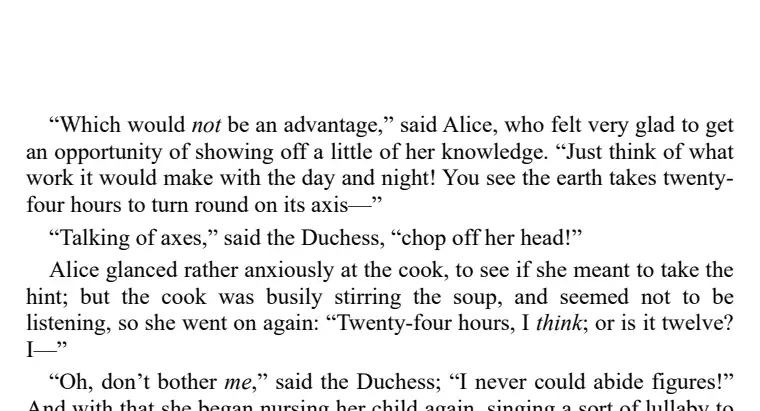
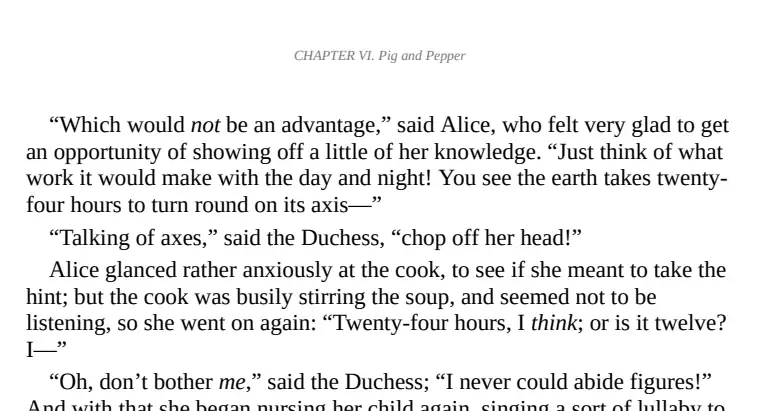
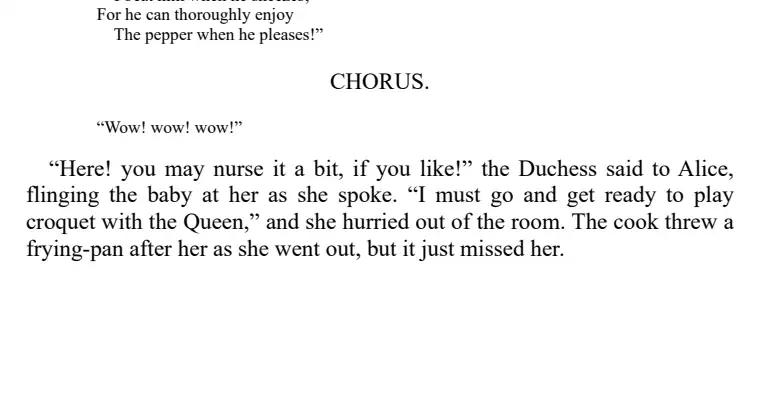
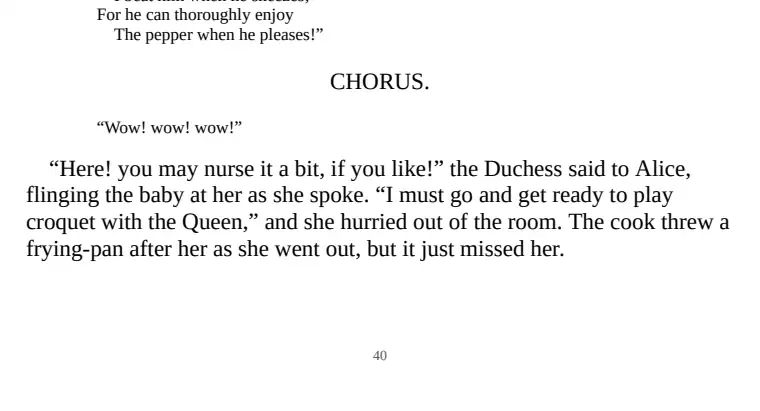
What the PDF looks like
Your page size
US Letter, A4 or the smaller A5, which prints well as a booklet or reads comfortably on a tablet.
Numbered pages
Every page carries its number at the bottom, so citations and printed copies line up.
Bookmarks
The ebook's chapters become the PDF's bookmarks, so you can jump straight to any chapter in your PDF reader.
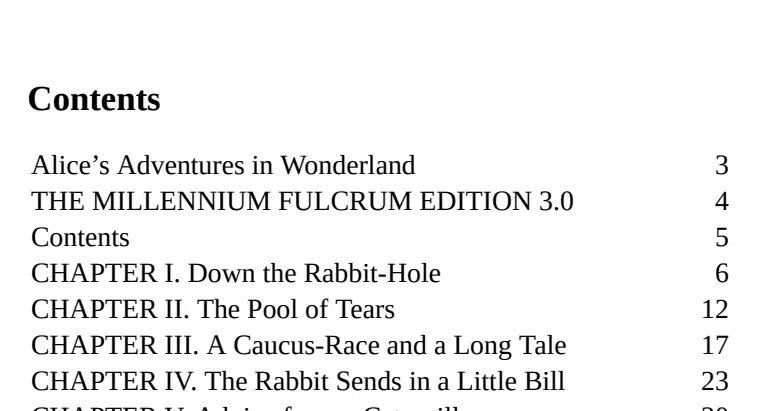
It is set like a printed book: the chapter title runs along the top of each page and a contents page with page numbers closes the book. Lines are left-aligned, so there are no wide gaps between words and no word is split across two lines; the text stays real text you can search, select and copy. Pictures are kept, and the cover becomes the first page.
How it compares: 9 EPUB to PDF converters tested
Tested 3 November 2026. Three public-domain books from Project Gutenberg (Alice's Adventures in Wonderland, Frankenstein, Romeo and Juliet) went through each converter's free tier with default settings and no account. One script measured every PDF the same way. The figures are the range across the three books.
| Converter | Text kept | Pages with a page number | Pages with the chapter title on top | Contents page | Bookmarks | Pictures |
|---|---|---|---|---|---|---|
| epubwise Calibre 7.6, our settings | 99.9–100% | 99–100% | 96–98% | yes | yes | kept |
| Calibre (default settings) Calibre 9.13, the desktop program | 99.3–99.8% | 0–2% | 2–15% | no | yes | kept |
| CloudConvert Calibre 8.5 | 99.3–99.8% | 0–1% | 2–14% | no | yes | kept |
| Convertio Calibre 4.99 | 99.3–99.8% | 0–2% | 2–15% | no | yes | kept |
| FreeConvert Calibre 9.13 | 99.3–99.8% | 0–2% | 2–15% | no | yes | kept |
| online-convert.com the same pages as Calibre's | 99.3–99.8% | 0–2% | 2–15% | no | yes | kept |
| Visual Paradigm Online Calibre 7.8 | 99.3–99.8% | 0–2% | 2–15% | no | yes | kept |
| QuillBot ConvertAPI | 96.4–99.9% | 0–1% | 3–19% | no | yes | kept |
| Smallpdf Smallpdf's own | 99.3–99.9% | 0–1% | 0% | no | none | none |
What the numbers say. Six of the eight other converters gave the same result: Calibre itself, and five sites that run Calibre underneath with its default settings. Those defaults put no page number and no running chapter title on the pages (the few pages that show a chapter title are the chapters' own first pages), and no contents page. Their text is complete: the gap to epubwise is under 1%, mostly parts of the book's own list of scenes.
QuillBot uses a different engine and fits the book on fewer pages, but in Romeo and Juliet it lost 3.6% of the words, mostly the speakers' names and the scene headings, so in places you can't tell who is talking. Smallpdf also uses its own engine: the text is all there, but the PDFs have no bookmarks and none of the book's pictures, the cover included.
Where others did better: QuillBot and Smallpdf make shorter PDFs (Alice: 80 and 64 pages, against 96 here), because they fit more text on each page. That saves paper when printing; ours is set for reading. No converter, ours included, split a word across two lines, so text search works in all of them. Not sure a PDF is what you want? EPUB vs PDF compares the two.
What can and can't be converted
Any DRM-free EPUB works: books from Project Gutenberg and Standard Ebooks, ebooks you wrote or exported yourself, and the EPUBs that our PDF to EPUB converter makes. Books bought from a store usually carry DRM, a copy lock that only the store's own apps can open, so they can't be converted. Picture books and comics built as fixed-layout EPUBs may not keep their exact page design.
Honest note on how it works: EPUB to PDF runs on Calibre, the free ebook program, with settings we chose for you (running chapter titles, page numbers, a contents page, even word spacing, chapters as bookmarks, your page size), where Calibre's defaults have none of the first three. Our own layout engine handles the harder direction, where a PDF's pages have to be turned back into flowing text; here is how that works. Your file is deleted within an hour either way.
Questions
Is the EPUB to PDF converter free?
Yes, for everyday use: 10 files a day, up to 95 MB each, with no account and no watermark on the PDF.
Will the PDF look like the ebook?
The text, headings, italics and pictures carry over, set on fixed pages of the size you pick. Because an EPUB has no pages of its own, the page breaks are new ones, numbered from the start of the book.
Can I convert EPUB to PDF on a Mac or iPhone?
Yes. The converter runs in the browser, so it works the same in Safari on a Mac, iPhone or iPad as it does on Windows or Android. Nothing to install.
Can I convert a book I bought?
Only if it is DRM-free. Most store-bought ebooks are copy-protected, and the converter will say so instead of making a broken PDF.